
Rock Development Server (MAUI APP Dev)
When building out a ROCK / MAUI App, this is the best practice for developing and testing new features.
Download the Rock Core App
Rock Core on the App Store (Orange)
Rock Core @Latest on the App Store (Blue)
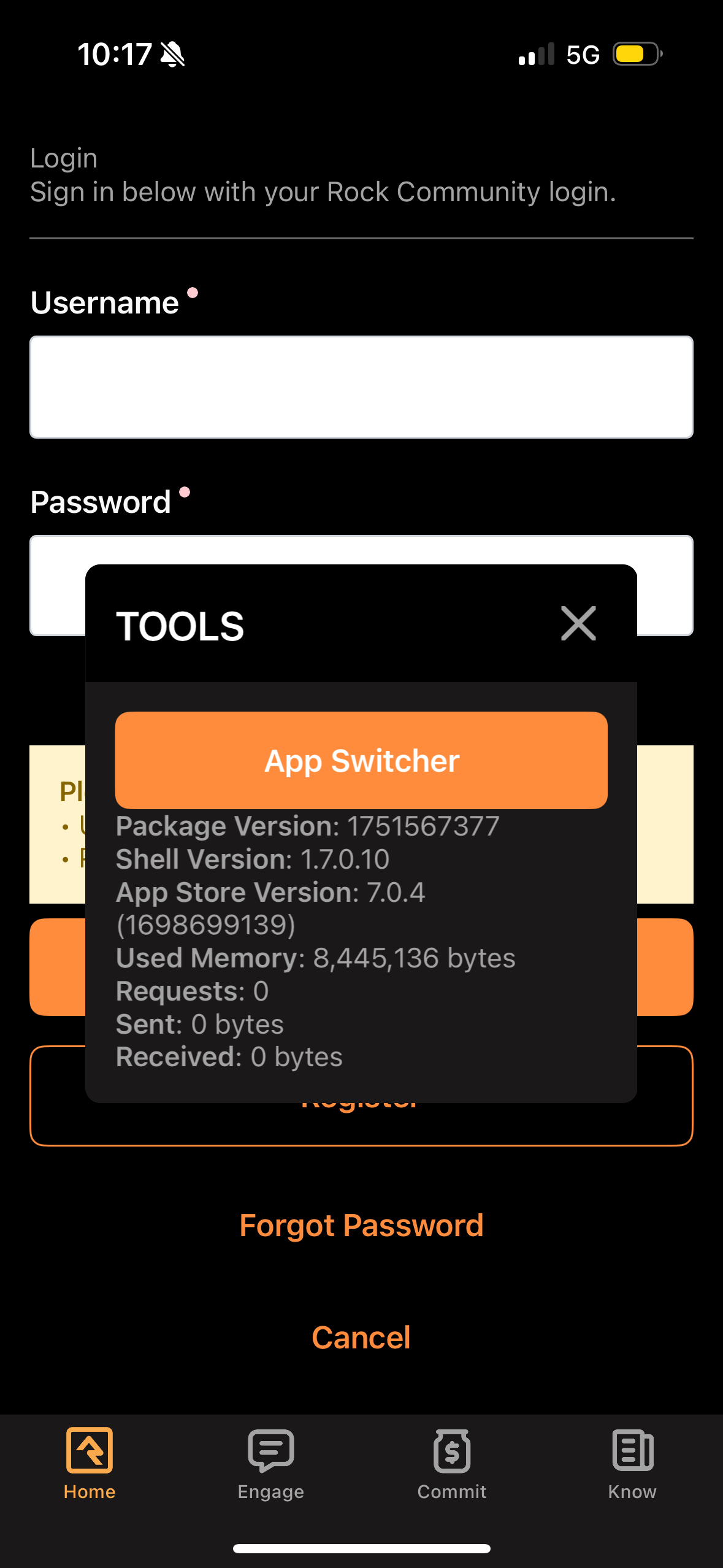
Trigger 'App Switcher' state
- Do not login
- hold down with five fingers, 3-5 seconds (find a place that isn't the input feild or submit button)
- the 'App Switcher' state should trigger and give you a new modal popup (see screenshot below)
- Submit on , 'App Switcher'
Credentials
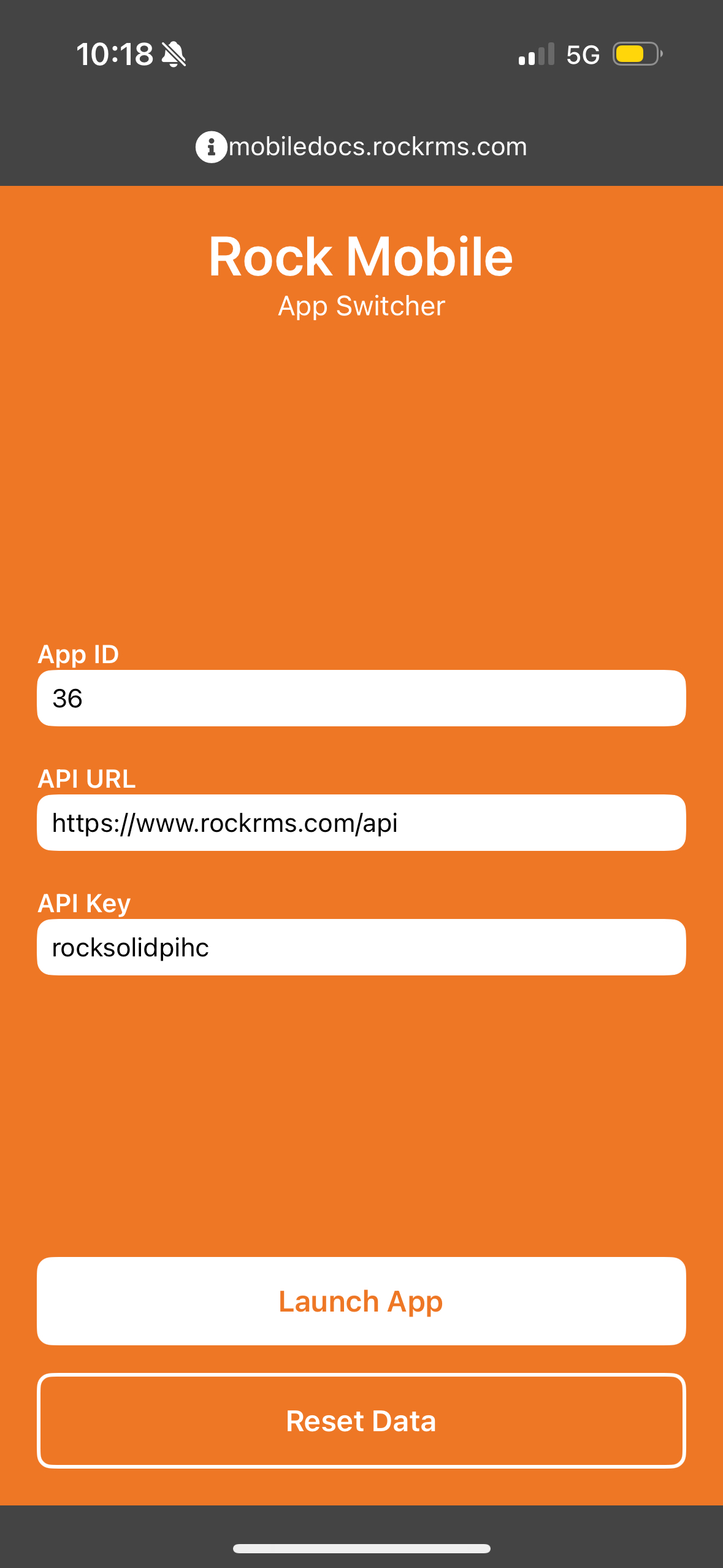
App ID
the App ID can be found on the 'Application Detail Page' (after the initialization of the new MAUI app)
That page can be found, Breadcrums: HomeCMS > ConfigurationMobile > ApplicationsNew > [the name of your app]
The id is on the page under, Site Id:29 or in the url: https://people.thewoodlandsmethodist.org/admin/cms/mobile-applications/29
API URL
https://people.thewoodlandsmethodist.org/api
API Key
the API Key is sitting on the Application Detail | Rock RMS page under, API Key
Launch App
no idea what 'Reset Data' does, but once you get your credentials, launch in the app w the Launch App button.
Green Lights
If you have all the instantiation and credentials dialed in, boom! Green lights (confirmation on the name of the app you created as the name printing across the top + )